



Description
Download Zena 2 Desktop code Cassiopee – Virtual Desktop Manager, Music Player, Sketch Tool, DJ Player, Family Productivity
Overview
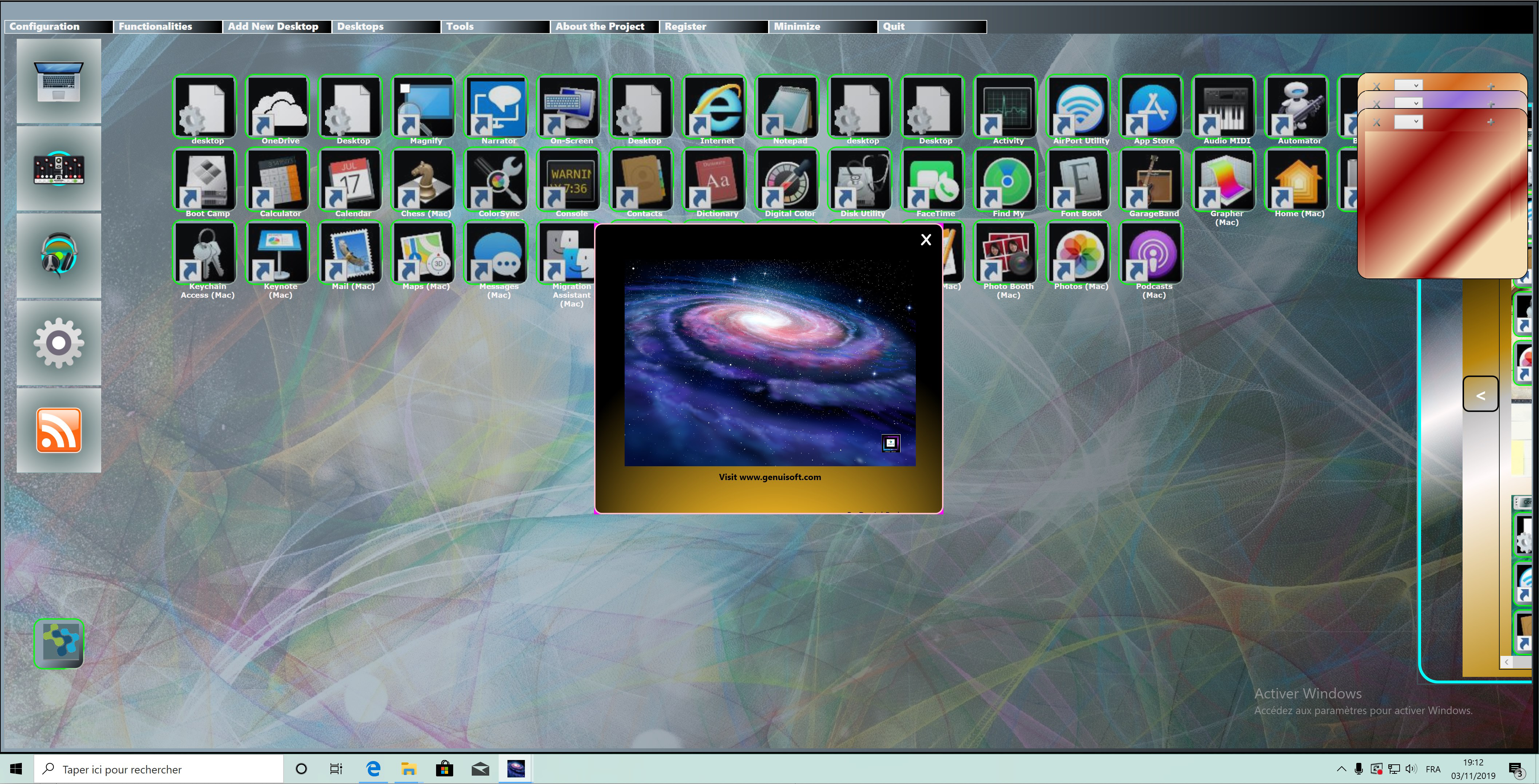
Zena 2 Desktop code Cassiopee, developed by GenuiSoft, is a productivity-focused desktop application designed for Windows 10 users seeking a dynamic and customizable computing environment. The app positions itself as a multifunctional tool that blends organizational utility with creative expression, particularly tailored for family use. It addresses common challenges such as digital clutter, task fragmentation, and the need for engaging digital activities for children. By integrating a virtual desktop manager, music player, sketch tool, and DJ player, the application aims to streamline workflow while providing entertainment and creative outlets for younger users. Its unique value proposition lies in the developer’s commitment to social responsibility—GenuiSoft donates 10% of profits to humanitarian causes, adding a meaningful dimension to the user experience. The app is especially suited for households where multiple users share a single device, allowing each family member to maintain a personalized workspace. It also appeals to individuals interested in digital creativity, music experimentation, or enhanced desktop organization. While the developer did not provide additional technical details, the app’s purpose is clear: to transform the standard Windows 10 desktop into a vibrant, multi-functional ecosystem. Its presence in the productivity category reflects a growing trend toward all-in-one tools that support both efficiency and personal expression.
Key Features & Functionality
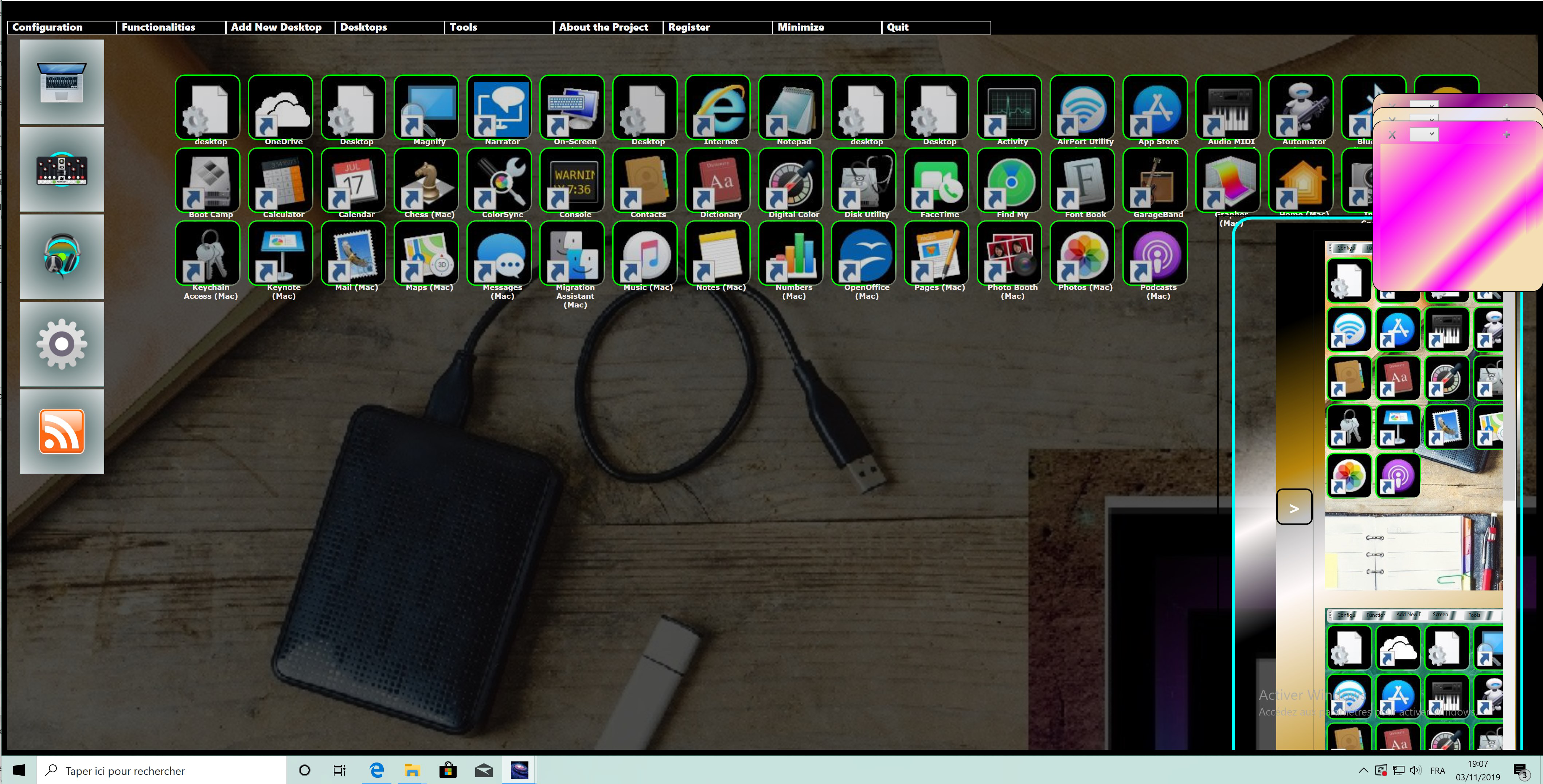
- Multi Virtual Desktop Manager: Enables users to create and manage an unlimited number of virtual desktops, each customizable for specific tasks or users. This feature helps separate work, school, and leisure activities, reducing cognitive load and improving focus.
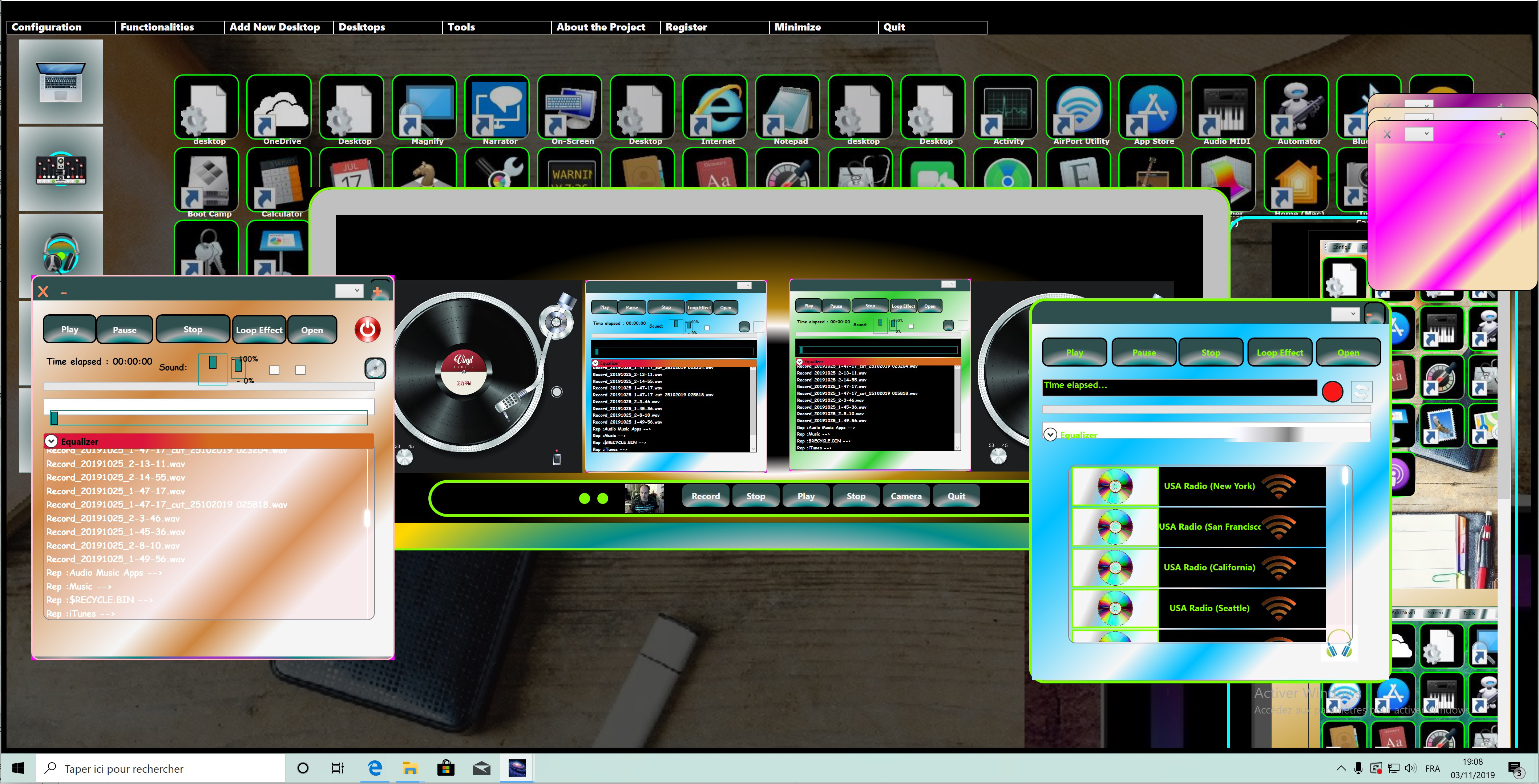
- Customized Music Player: Offers playlist creation, playback control, and seamless track management. Ideal for background music during work or relaxation, it supports a personalized audio experience.
- Engaging Sketch Draw Tool: A child-friendly digital drawing application that encourages creativity. Designed with intuitive controls, it allows young users to draw, color, and explore visual expression in a safe and engaging interface.
- Integrated DJ Player: Transforms the desktop into a music mixing station. Users can blend tracks, adjust tempo, and experiment with sound effects through a user-friendly interface, appealing to music lovers and aspiring DJs.
- Dynamic Sound & Visual Configurations: Allows customization of desktop transitions with unique animations and sound effects. This enhances the sensory experience and makes switching between desktops more enjoyable and immersive.
Each feature is designed to serve real-world scenarios. For example, a parent can assign one virtual desktop for work, another for children’s homework, and a third for family music time. The sketch tool provides a safe digital canvas for kids, while the DJ player turns casual listening into an interactive experience. These functionalities work together to create a cohesive, multi-purpose workspace that supports both productivity and creativity. The integration of social impact through donations further strengthens the app’s appeal to ethically conscious users.
Interface, UX & Performance
Zena 2 Desktop code Cassiopee features a modern, visually rich interface that emphasizes ease of navigation and user engagement. The layout is organized around the concept of virtual desktops, with intuitive icons and smooth transitions between environments. Users can access features through a centralized dashboard, minimizing the need for complex menu hierarchies. The visual style is vibrant yet functional, with customizable themes and dynamic animations that respond to user interactions. Although the developer did not list formal performance metrics, the application is designed to operate efficiently on standard Windows 10 systems. The interface remains responsive across different screen sizes and resolutions, ensuring a consistent experience on desktops and larger monitors. Stability appears to be a priority, as the app supports multiple concurrent workspaces without noticeable lag. Responsiveness is maintained during transitions between virtual desktops and while using media-intensive tools like the DJ player. The sketch tool is optimized for touch and mouse input, catering to younger users and adults alike. Overall, the user experience is designed to be accessible to non-technical users while offering depth for those who want to customize their environment. The absence of reported performance issues suggests reliable operation under typical usage conditions.
Platform Compatibility & Technical Requirements
Zena 2 Desktop code Cassiopee is designed exclusively for Windows 10, ensuring compatibility with a wide range of desktop and laptop systems running this operating system. The application has a file size of 156 MB, which is relatively lightweight for a multi-functional desktop tool. The software version is 2.0, indicating a mature release with established features. Specific requirements such as minimum RAM, processor speed, or GPU specifications were not listed by the developer. Similarly, no information was provided about compatibility with older Windows versions or future updates. The developer did not specify minimum OS requirements beyond Windows 10. While no official system checks are mentioned, the app’s size and functionality suggest it can run on mid-range hardware. Users are advised to ensure their system meets standard Windows 10 requirements for optimal performance. For those seeking a desktop enhancement tool with integrated creativity and organization features, the app offers a streamlined installation process and straightforward setup.
Pros and Cons
Pros
- Free to download and use, making it accessible to a broad audience.
- Offers a unique combination of productivity and creative tools in one application.
- Supports multi-user environments with personalized virtual desktops.
- Includes child-friendly features like a sketch tool and music player.
- Enhances desktop experience with dynamic visual and sound effects.
- Developer donates 10% of profits to humanitarian causes, adding social value.
Cons
- Specific technical requirements were not disclosed by the developer.
- Compatibility with systems beyond Windows 10 was not confirmed.
- No information was provided about update frequency or long-term support.
- Advanced features may require a learning curve for new users.
- Performance on low-end hardware was not tested or reported.
FAQ
Is Zena 2 Desktop code Cassiopee safe to download and install?
The app is distributed as a free tool for Windows 10. While no security details were provided, it is developed by GenuiSoft and does not require external permissions beyond standard system access. Users are advised to download from official sources to ensure integrity.
Can I use Zena 2 Desktop code Cassiopee on multiple devices?
Specific details about multi-device usage were not provided. The app is designed for Windows 10, but the developer did not disclose whether licenses or accounts are required for use across different machines.
Is there a mobile version of Zena 2 Desktop code Cassiopee?
There is no information indicating a mobile version. The application is currently available only for Windows 10 desktop systems.
How often are updates released for Zena 2 Desktop code Cassiopee?
The developer did not specify update frequency. Users are encouraged to check for new versions manually or through official channels.
Does Zena 2 Desktop code Cassiopee collect user data?
No data collection practices were disclosed. The app’s privacy policy was not provided, so users should exercise caution and review permissions during installation.
Final Thoughts
Zena 2 Desktop code Cassiopee stands out as a thoughtfully designed productivity tool that transcends conventional desktop utilities. By combining virtual desktop management, creative tools, and entertainment features, it caters to both functional and emotional needs within a household. Its free availability, combined with GenuiSoft’s commitment to social impact, makes it a compelling choice for families, educators, and individuals seeking a more engaging digital workspace. The app’s intuitive interface and seamless integration of music, drawing, and organization tools create a holistic experience that enhances both efficiency and enjoyment. While technical details remain limited, the app’s functionality and purpose are clear. For users looking to transform their Windows 10 desktop into a customizable, family-friendly environment, Zena 2 Desktop code Cassiopee offers a unique blend of utility and creativity. Download Zena 2 Desktop code Cassiopee now.
Guides & Tutorials for Zena 2 Desktop code Cassiopee
How to install Zena 2 Desktop code Cassiopee
- Click the Preview / Download button above.
- Once redirected, accept the terms and click Install.
- Wait for the Zena 2 Desktop code Cassiopee download to finish on your device.
How to use Zena 2 Desktop code Cassiopee
This software is primarily used for its core features described above. Open the app after installation to explore its capabilities.
User Reviews for Zena 2 Desktop code Cassiopee 0
No reviews found


